
The simplest Apple Invites alternative for a mixed iPhone and Android guest list is an invitation that is just a link. Koroty works that way: guests open it in any browser on any phone or computer, with no app and no account, and reply with a tap. Designing is free, publishing gives you a 48-hour preview link, and you pay once per invitation to make the link permanent.
Apple Invites is a reasonable tool, and this guide is fair to it. The question is simpler: when your guests are split between iPhone and Android, which option leaves the fewest people stuck? Koroty is the platform I build, so weigh this accordingly. I'll stick to what I can state for sure, and I'll say where Koroty is weaker.
What is Apple Invites, and where does it fall short for weddings? #
Apple Invites is Apple's invitation app for iPhone. According to SlashGear's reporting in December 2025, creating an invitation requires iCloud+, and there is no Android app on the Play Store. Guests who don't use an iPhone open a web version instead, and they can still RSVP. Android guests confirm their email address first, and they receive updates by email.
None of that makes Apple Invites bad. If your whole circle uses iPhones, it can be a smooth experience. The friction shows up in a wedding with a mixed list, where some guests have iPhones and others don't. Apple's details may also have changed since that report, so check Apple's own pages before you decide.
Here are the practical gaps for a wedding host:
- The host needs an Apple setup. Creating needs iCloud+, which is a paid Apple plan, before you start.
- Android guests take extra steps. Confirming an email address is one more thing to ask of an aunt who is already confused by the link.
- It is built for events in general. A wedding often needs a seat limit per family, a hall schedule and a guest list sorted into groups.
Does a link-based invitation work on Android and iPhone? #
Yes. A Koroty invitation is a normal web link. It opens in Safari, Chrome, Samsung Internet or any other browser, on a phone, tablet or computer. Guests don't install anything and don't create an account. The same link behaves the same way on iPhone and Android.
Each guest you add gets a personal link, and their name appears on the envelope when they open it. The design opens with a tap. Then they see the date, a countdown, the venue with a map, the day's schedule and the RSVP.

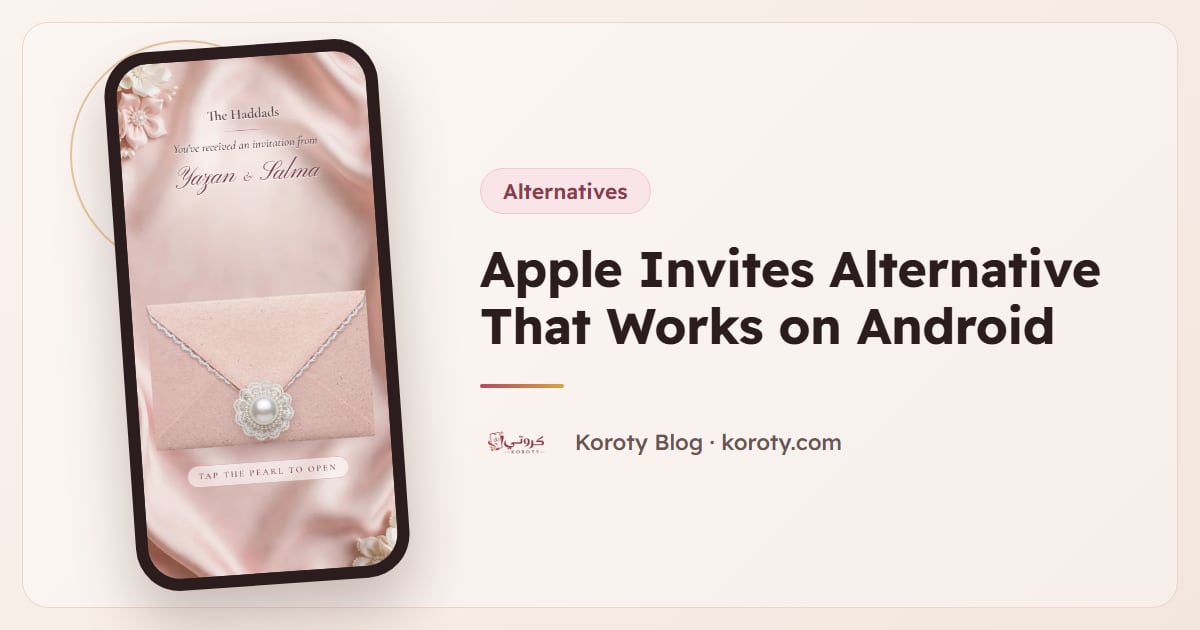
That is Blush Lace, a blush envelope edged in white lace with a pearl clasp. For more on the no-app point, see do guests need an app to open a digital invitation.
How do Apple Invites and Koroty compare? #
| Apple Invites | Koroty | |
|---|---|---|
| Who creates | Someone with iCloud+ (SlashGear, Dec 2025) | Anyone with a browser, design and preview free |
| Guests on Android | Web version; confirm email first; updates by email (SlashGear, Dec 2025) | Open the link directly, no account |
| Guests need an app | No, web version available | No |
| Wedding-specific tools | Check Apple's own pages | Personal links, seat limits, groups, custom questions, QR tickets |
| Sends invitations for you | Check Apple's own pages | No, you send each link yourself |
The last row matters. Koroty doesn't currently email or text guests itself. You press "Send" next to a name in your guest list, WhatsApp opens with a ready message containing that guest's name and link, and "Send to next" moves to the next person. If you'd rather copy a link into iMessage, email or any other app, you can do that too.
What do you get with Koroty for a wedding? #
Here is what a wedding host usually needs, and how it works:
- A personal link per guest. You can add guests one by one, paste a list of names, pick from your phone contacts on supported phones such as Android, or import an Excel or CSV file.
- Seat limits. Set a limit for the whole invitation or for each guest, so a reply can't exceed the seats you offered.
- Custom questions. Ask about meal choices or whether someone needs a ride.
- A dashboard. It shows who is attending, who declined, who hasn't replied, and how many people have received their link.
- Reminders you send yourself. From the guest list you can send a reminder to those who haven't replied. It isn't automatic.
- Export. Download the guest list and replies as a file (CSV).
Design yours free and preview it with your real names before you pay anything.
What does it cost, and what can you try for free? #
Designing and previewing are free, with no account and no time limit. When you publish, you sign in with a code sent to your email (no card needed) and get a preview link that works for 48 hours with every feature, marked "preview only". That is enough time to test it with family on both iPhone and Android.
To keep the permanent link, you pay once per invitation, with no subscription. In the US and Europe that is $29, and your country's price is on the pricing page. Guests and replies are unlimited, and the link stays the same. If you pay for a second invitation later, it is 50% off automatically.
What are Koroty's limits compared with Apple Invites? #
Be honest with yourself about these before choosing:
- No sending by Koroty. For now you send links through WhatsApp or any app you use. Koroty doesn't send emails or texts.
- No automatic reminders. You see who hasn't replied and send the reminder yourself.
- One language per invitation. Today each invitation is in Arabic or English. If your families speak both, you make two invitations. See Arabic and English wedding invitations for one wedding.
- No wedding website. There is no registry or travel page. See wedding website vs digital invitation if you need those.
If your guests all live in the Apple world and you want something native to your phone, Apple Invites may suit you better. If your list includes Android users, grandparents on cheap phones, or people abroad, a plain link is the safer path. For a wider view of the field, read the best digital wedding invitation platforms.
Frequently asked questions #
Can Android users open Apple Invites? #
According to SlashGear's December 2025 report, there is no Android app, but non-iPhone guests can open a web version and RSVP. Android guests confirm their email first and get updates by email. Check Apple's own pages for the current process.
Do my guests need to download anything to open a Koroty invitation? #
No. The invitation is a link that opens in any browser, on iPhone, Android or a computer. Guests don't create an account either.
Can I send a Koroty invitation to iPhone users on iMessage? #
Yes. The link is plain text, so you can paste it into iMessage, email or any chat app. The built-in "Send" button opens WhatsApp with a ready message, and you can copy the link anywhere else.
Is it free to try? #
Yes. Designing and previewing are free with no account. Publishing gives you a 48-hour preview link with every feature, and the permanent link needs one payment per invitation.
Is the invitation public? #
No. It is hidden from search engines, so only people with the link can see it.
The bottom line #
If your guests use a mix of iPhones and Android phones, a link that opens in any browser avoids extra steps for the people who are least comfortable with technology. Apple Invites can still be a good fit when everyone is on iPhone. Browse Koroty's designs, or compare other options in Paperless Post alternatives.