
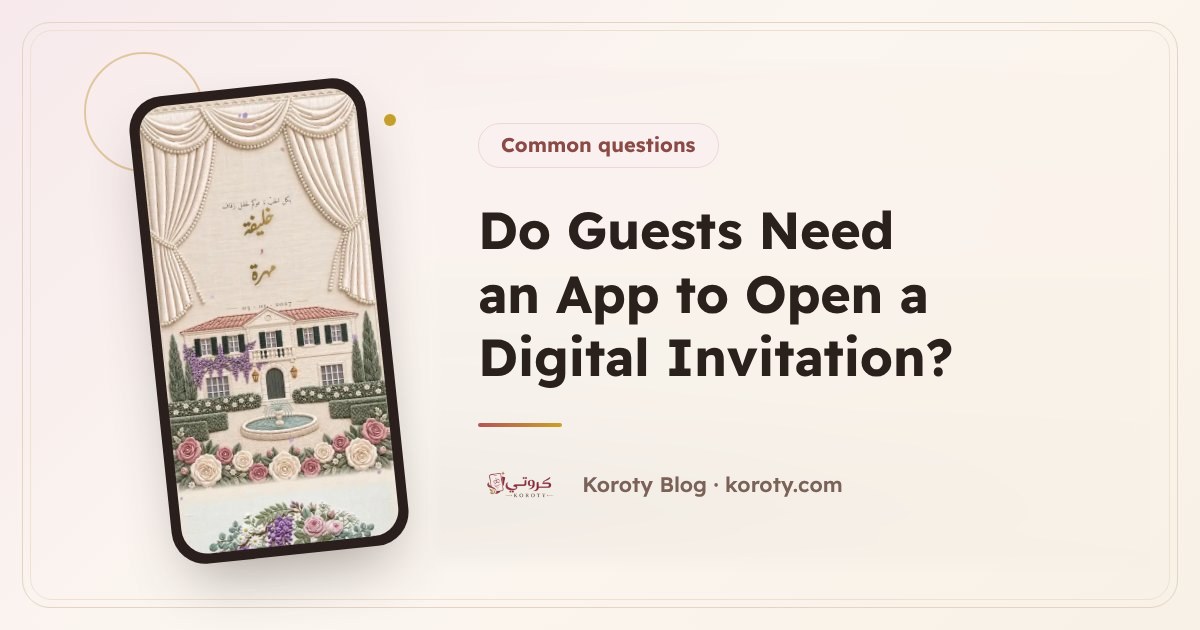
No, a guest doesn't need any app to open a digital wedding invitation. The invitation is a single link that reaches them on WhatsApp or in a message. They tap it and it opens straight in their phone's or computer's browser, like any web page. No download, no account to create and no password. They see the whole invitation and confirm their attendance with a tap.
How does a guest open a digital invitation? #
The steps on the guest's side are very simple:
- A message arrives with a short greeting and the invitation link.
- They tap the link.
- The invitation opens in the browser already on their device.
That is all. They aren't asked to sign in or to enter a phone number or an email. This is why a link invitation suits every age and every kind of device. If you want to know how to send the message itself properly, how to send a wedding invitation on WhatsApp has the steps and ready-made texts.
Does the invitation work on iPhone, Android and computers? #
Yes. The link works on any device with a browser:
| Device | How the invitation opens |
|---|---|
| iPhone | In Safari or whichever browser the guest uses |
| Android | In Chrome or the device's browser |
| Computer or laptop | In any browser when the link is clicked |
| Inside WhatsApp | The guest taps the link and the phone opens it in the browser |
The content is the same on every device, so the guest sees the same invitation wherever they open it.
What does a guest see when they open the invitation? #
On Koroty, when you send each guest their personal link, their name appears on the envelope before they open it, so they feel the invitation was written for them alone. After opening the envelope they see the content you added, such as:
- The couple's and hosts' names.
- The date and time, with a countdown and an "add to calendar" button.
- The venue's name with a map that opens with a tap to show them the way.
- The programme and notes for guests, if you added them.
- The RSVP button: "I'll attend" or "I can't make it".
The guest chooses the number of people within the limit you set, and their reply reaches your dashboard straight away. For details, read wedding RSVP: how to know your guest count.
How do I help elders open the invitation? #
Elders are among the most important guests, and some aren't comfortable with links. Practical tips:
- Call them as well. A message alone may not be enough, out of respect for their standing. A short call saying "we have sent you the invitation on WhatsApp" makes a big difference.
- Keep the message short and clear. A line of greeting, then the link, without a long text that confuses them.
- Write the name the way they like to be addressed: "Hajj Abu Mohammed", "Aunt Umm Sami". A familiar name reassures them the message is theirs.
- Choose a design with clear lettering. The designs include simple options that are comfortable to read, and you can preview the invitation on your phone before sending.
- One tap is enough. Reassure them that they need nothing but to tap the link.
- Ask one of their children or grandchildren to help if the guest doesn't use WhatsApp at all, to open the invitation and confirm on their behalf.
Here is a short text that suits them:
Assalamu alaikum, Uncle Abu Mohammed. It would be an honour to have you at our son's wedding. Here is the invitation. Just tap the link to open it: (invitation link)
What if the guest's internet is weak? #
The invitation is a web page, so it needs a connection to open. If the connection is weak:
- The guest waits a few moments for the page to finish loading, or tries again later.
- They open it when connected to Wi-Fi at home or at work.
- The link doesn't expire or change, so they can open it whenever they like, even on the day itself on the way to the hall.
A tip for you: don't make the message depend on the invitation alone. Put the occasion and its day in the greeting line, so the guest knows the essentials even before the page opens.
Is a digital invitation safe and private? #
Yes. A Koroty invitation is hidden from search engines, so it doesn't appear to anyone searching Google for the couple's names, and only people who have the link can see it. Because the guest doesn't create an account or enter login details, nothing is asked of them beyond what they type themselves when confirming attendance or writing a wish.
The invitation stays available after the wedding with no expiry date, until you delete it whenever you like.
Common guest worries and how to answer them #
| What worries the guest | The answer |
|---|---|
| "Do I have to download something?" | No, the link opens straight in the browser. |
| "Will it ask me to register?" | No, there is no account and no password. |
| "Is the link safe?" | It is an invitation link from the host, sent to you by them in your name. |
| "I forgot the date or where the hall is" | Open the same link again: the date and the map are in it. |
| "I confirmed, then my circumstances changed" | Get in touch with the host so they know about the change. |
Frequently asked questions #
Does a guest need a Koroty account? #
No. The account is only for the invitation's owner when publishing it. The guest opens the link, sees the invitation and confirms attendance with no registration.
Can the invitation be opened on a computer? #
Yes, the link opens in any browser on a computer just as it does on a phone, with the same content.
Does the guest see their name in the invitation? #
Yes, if you sent them their personal link from the guest list, their name appears on the envelope. The general link works for everyone without a specific name.
Does the music play automatically when the invitation opens? #
No, music plays when the guest taps it, so they aren't surprised by loud sound in a public place.
What if your guests use both iPhone and Android? #
If you're weighing Apple's own invitation app, an Apple Invites alternative that works on Android compares the two fairly, including the extra steps Android guests take.
The bottom line #
A guest needs no app and no account: one link they tap, and the invitation opens on any device, in their name, with the map and the RSVP button. With a short call to elders and a clear message, your invitation reaches everyone with no fuss. You can design your invitation and preview it for free to see for yourself what your guests will see.