
A Canva wedding invitation is a designed image or PDF: it looks great in a group chat or on paper, but it can't collect RSVPs, open a map or update itself. An interactive invitation is a link that guests open in their browser. It shows the date with a countdown, opens the venue in their maps app, lets each guest reply with a tap, and changes for everyone if you edit a detail. Many couples use both: a card to announce, and a link to RSVP.
This isn't a case against Canva. It's one of the best design tools around, and if you have a clear picture of your invitation, you can build it there. The question is what happens after the design is done.
What can a Canva wedding invitation do? #
Canva gives you templates, fonts, photos and full control over the layout. When you finish, you can:
- Download it as an image (PNG or JPG) to send on WhatsApp, Instagram or by text.
- Download it as a PDF, which keeps any links you added clickable.
- Share a Canva link to the design.
- Order prints, or print the PDF at a local shop.
That covers how the invitation looks. What Canva doesn't include is an RSVP system: there's no built-in way to collect replies, so couples usually add a link or QR code to a separate form or RSVP tool.
What does an interactive invitation add? #
An interactive invitation is a small web page made for one wedding. On Koroty, which is the platform I build, every design includes:
| Feature | Canva image or PDF | Interactive invitation |
|---|---|---|
| Your design, names and date | Yes | Yes |
| Opening animation, such as an envelope or doors | No | Yes |
| Guest's name on their own invitation | Only if you make a file per guest | Yes, on each personal link |
| RSVP with a seat limit per guest | No, needs a separate tool | Built in |
| Venue map that opens with a tap | A link you add yourself | Built in |
| Live countdown to the day | No | Built in |
| Add to calendar | No | Built in |
| Music that plays when the guest taps | No | Built in |
| Edit after sending | Send a new file | Same link, guests see it after "Update" |
| Replies in one dashboard | No | Yes, with head counts |
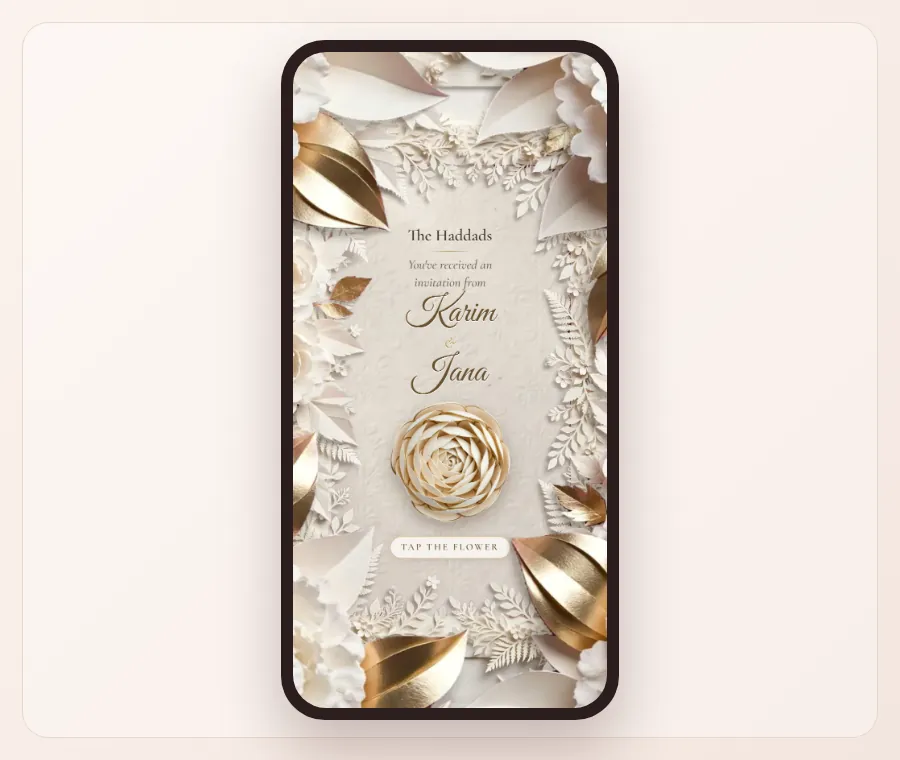
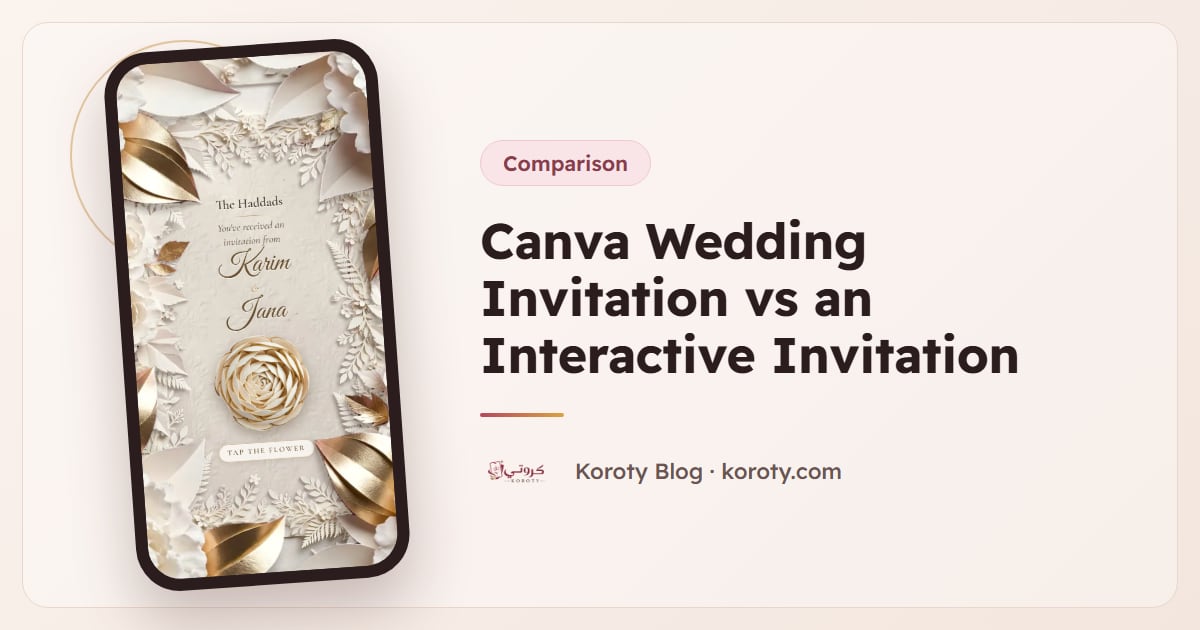
This closed shadow box is Paper Garden: one tap and a paper-cut peony blooms, then the invitation unfolds through layers of ferns and roses. No image file can do that.
The last two rows matter most in practice. When the venue changes or the start time moves, an image is already sitting in a hundred chats with the old details. With a link, you change it once, press "Update", and everyone who opens it sees the new version.
Why does a static image make RSVPs harder? #
With a Canva image, replies come back wherever guests happen to answer: a thumbs-up in a group chat, a private message, a phone call to your mother. You end up building the head count by hand.
A few common problems:
- No clear seat count. "We'll be there!" from a cousin might mean two people or six.
- Replies in five places. WhatsApp, Instagram, text messages and calls never add up to one number.
- No way to see who hasn't answered. You only know who did.
- Old details keep circulating. Corrections rarely reach everyone who saved the first image.
An RSVP built into the invitation solves these at the source. Each guest replies on their own link, picks the number of people within the limit you set, and the totals appear in your dashboard: attending, declined, and not yet replied. More on reading those numbers in how to know your wedding guest count accurately.
Can you add RSVP to a Canva invitation? #
Yes. The usual approach is:
- Create a form or RSVP page somewhere else.
- Add its link to a button or text in your Canva design.
- Export as PDF to keep the link clickable, or add a QR code for printed cards.
- Paste the link in your message too, since some apps don't make links inside a PDF tappable.
This works, but you're now managing two tools, and the RSVP page won't know which guest is which unless guests type their names correctly. If you'd rather have the design and the RSVP in one place, an interactive invitation does both.
When is a Canva invitation enough? #
A designed image is a good choice when:
- You're announcing, not counting, such as a save the date or a post for a family group.
- The event is small and you'll confirm attendance by phone anyway.
- You need a printed card, and digital RSVPs aren't important to you.
- You have a very specific design in mind that no template matches.
When is an interactive invitation the better choice? #
A link-based invitation earns its place when:
- Your guest list is long and you need an accurate head count for the venue.
- Each guest has a different number of seats.
- Guests are coming from out of town and need a map and a calendar reminder.
- Details might still change after you send.
- You want to see who hasn't replied without asking around.
How do you use both a card and a link? #
You don't have to choose. A practical setup many families can use:
- Design a card for announcing. Post it in family groups and stories. If you don't use Canva, Koroty's free wedding invitation card maker makes a phone-size image with your names, date and venue, with no sign-up.
- Send a personal link for RSVPs. Add your guests to a Koroty invitation with their seat counts, then send each guest their own link from the guest list.
- Point the card to the link. In the card's caption, write "Your personal invitation and RSVP will reach you by message."
That way the card does what images do best, and the link does what images can't. For wording ideas for both, see what to write in a wedding invitation and short wedding invitation wording for WhatsApp.
Design yours free and compare it next to your Canva draft.
Frequently asked questions #
Is a Canva wedding invitation free? #
Canva has a free plan with many invitation templates, and some templates and elements need a paid Canva plan. Printing costs extra. Collecting RSVPs needs a separate tool.
Can I send a Canva invitation on WhatsApp? #
Yes. Download it as an image to send it in a chat, or as a PDF if you've added clickable links. Images show in full in the chat, while PDFs open as a document.
Can I make an animated invitation in Canva? #
Canva can export animated designs as video or GIF. Those play like a short clip. They don't include RSVP, a map that opens in the guest's maps app, or a countdown that updates live.
Do guests need an app to open an interactive invitation? #
No. On Koroty the invitation is a link that opens in any browser on a phone or computer, with no app and no account. More in do guests need an app to open a digital invitation.
Can I use my Canva design on Koroty? #
Koroty uses its own designs, so you pick one of its templates and add your names, date, venue, photos and music. You can still post your Canva card for announcements and use Koroty for RSVPs.
The bottom line #
Canva is excellent for making your invitation look the way you imagine. It just stops at the picture. If you need replies, a seat count, directions and the freedom to change details, use an interactive invitation, on its own or alongside your card. Browse Koroty's designs, or see how it stacks up against other options in the best digital wedding invitation platforms.