
A digital wedding invitation with RSVP gives each guest a personal link, lets them accept or decline in a tap, and shows you the answers on one dashboard. On Koroty you set seat limits and custom questions, send each link from your guest list, remind people who haven't replied, and export everything as a file. Here is how each part works.
Koroty is the platform I build, so this is a product walkthrough, written plainly. I'll also say what it does not do yet, because a guest list is the wrong place for surprises.
How does a guest reply to a digital wedding invitation? #
The guest opens their personal link in any browser, with no app and no account. Their name appears on the envelope. After the invitation opens, they reach the RSVP section and choose attend or decline. If they attend, they pick how many people are coming, within the limit you set, and answer any questions you added.
That is the whole reply. There is no form to find and no email to write back. The answer goes straight into your guest list.
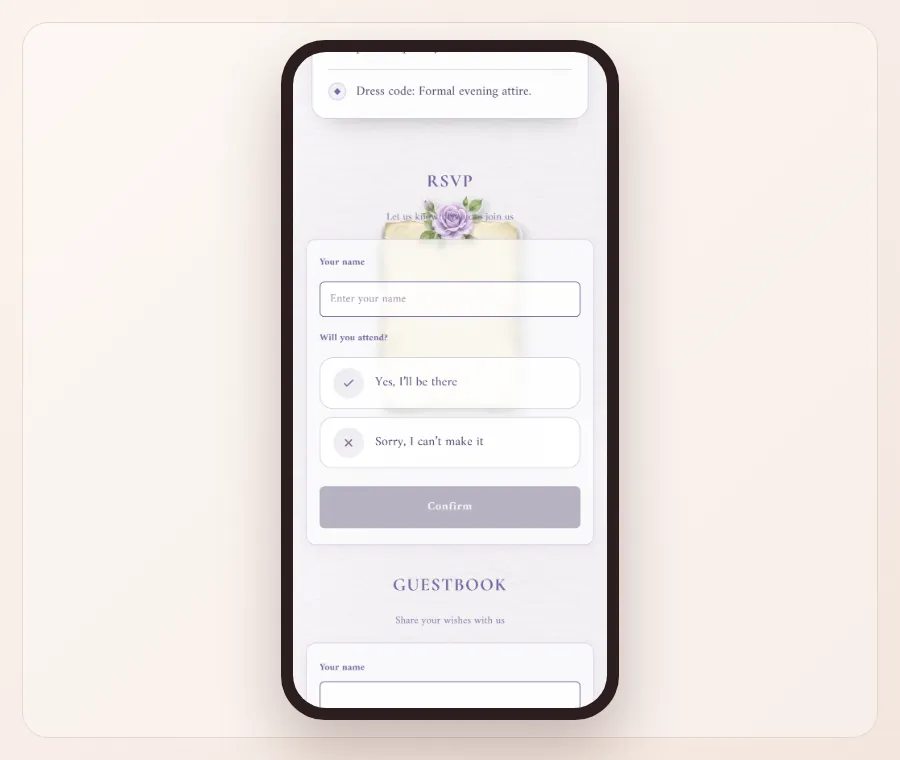
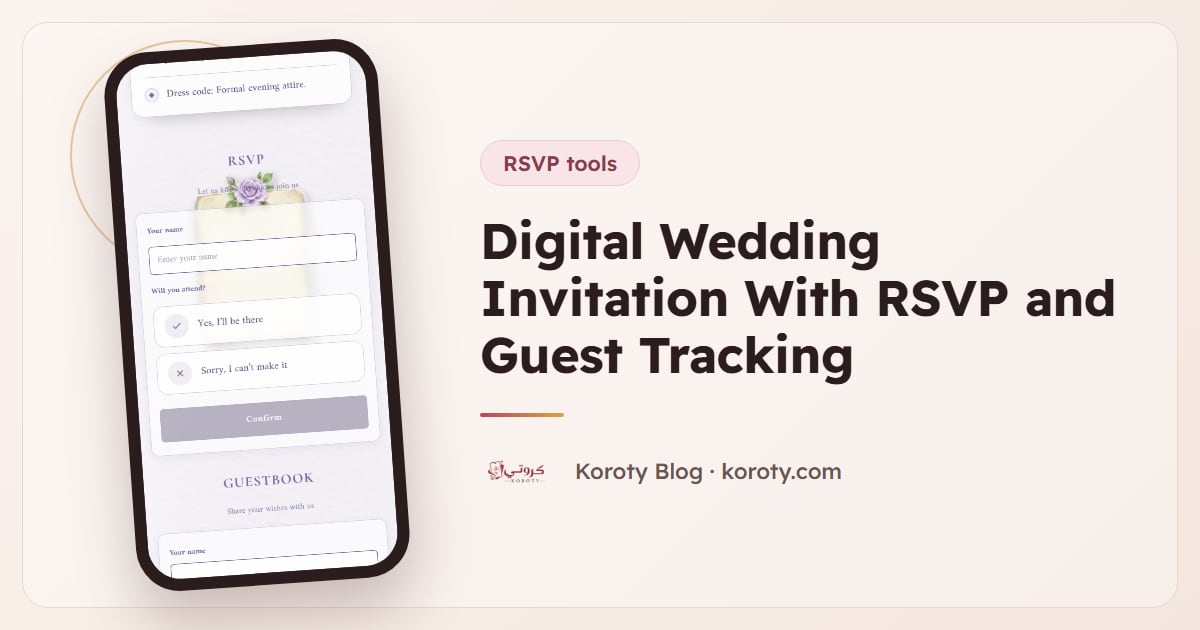
The form above is from Minimalism Purple, a calm design with a soft envelope. The RSVP works the same way in every design.
How do you add guests and give each one a personal link? #
You have several ways to build the list, so you can use whichever matches what you already have:
- One by one. Type a name, and set a seat count if you like.
- Paste a list. Write the names, with the number of seats after a comma.
- Pick from your phone contacts. This works on supported phones, such as Android.
- Import Excel or CSV. Useful if a parent already keeps a spreadsheet.
Every guest you add gets a personal link. Because the name sits on the envelope, a family reads "The Hamilton Family" or "Aunt Rosa" instead of a generic card. For help building the list, read how to build a wedding guest list.
You can also sort guests into groups, such as "Bride's family", "Groom's friends" or "Work". Groups make the dashboard easier to read and the sending easier to plan.
How do seat limits work? #
A seat limit stops replies from growing past what the venue can hold. You can set a limit for the whole invitation or a limit for each guest.
- A limit per guest. If a couple is invited with two seats, they can reply for up to two.
- A limit for the whole invitation. Useful when you want a cap that applies to everyone.
Guests choose their number within the limit, so you never see a reply for seven when you offered three. For the thinking behind plus-ones and counts, see wedding RSVP and guest count.
What custom questions can you ask? #
You can add your own questions to the RSVP. Some ideas that work for different weddings:
- Meal choice: chicken, fish or vegetarian.
- Allergies or dietary needs.
- Whether a guest needs a ride from the hotel.
- Song requests for the dance floor.
- Names of children attending, if you allow them.
Keep it short. Each extra question lowers the chance that a busy guest finishes the reply. If you aren't sure how to word a no-children line, see no-kids wedding invitation wording.
What does the dashboard show? #
The dashboard gives you four numbers: how many are attending, how many declined, how many haven't replied, and how many guests have received their link. That last number helps you tell the difference between "hasn't answered" and "never got it."
Design yours free and add a few test guests to see the dashboard before you commit.
How do you send the links and remind guests? #
Koroty doesn't currently email or text guests itself. Sending works through your own apps:
- In the guest list, press "Send" next to a name.
- WhatsApp opens with a ready message that includes the guest's name and link. You can edit the message text.
- Press "Send to next" to move on to the next guest you haven't sent yet.
- Prefer another app? Copy the link and paste it anywhere.
For reminders, the guest list lets you send a reminder to those who haven't replied. It isn't automatic. You decide when to send it and to whom. For message ideas, see WhatsApp wedding invitation messages and how to send a wedding invitation on WhatsApp.
What is the family link? #
Weddings are rarely planned by two people. The family link lets parents add their own guests themselves, so you don't have to type every name from your mother's list. It cuts down the back-and-forth that usually comes with a big family list. Agree on a seat budget with each side first, so nobody is surprised later.
Can you export the guest list and replies? #
Yes. You can export the guest list and the replies as a CSV file. Open it in Excel or Google Sheets to sort by group, count meals or share the numbers with the venue or caterer.
What are QR entry tickets? #
For confirmed guests, you can switch on optional QR entry tickets, with an optional table number. At the door, someone scans each ticket with a phone camera. There is also a general QR code for the invitation itself, which you can download and print. More in QR code wedding invitations.
A simple order for setting it up #
If you want a sequence that avoids rework, this one works well:
- Choose a design and fill in names, date, venue, schedule and notes.
- Set the seat limit and add any custom questions.
- Add your guests and sort them into groups.
- Publish, open the 48-hour preview, and send it to two or three relatives to test.
- Fix anything they notice and press "Update". Then activate the permanent link, because the preview ends after 48 hours, and send the rest in batches.
- Check the dashboard every few days, and send one reminder to the guests who haven't replied.
Sending in batches also keeps your own replies manageable. Start with the people whose answers you need first, such as the family hosting out-of-town guests. For timing, see when to send wedding invitations.
What does it cost? #
Design and preview are free with no account. When you publish, you sign in with a code sent by email and get a preview link that works for 48 hours with every feature, marked "preview only". To keep the permanent link you pay once per invitation, with no subscription and unlimited guests and replies. In the US and Europe that is $29, and your country's price is on the pricing page.
What does Koroty not do? #
- It doesn't send emails or texts to guests for you.
- It doesn't send reminders automatically.
- Each invitation is in one language today. If your families read both Arabic and English, see Arabic and English wedding invitations.
This page is about what an invitation with RSVP should track. The replies themselves have their own guides: how to collect RSVPs online, why each guest needs their own link, when to set the RSVP deadline, what to send guests who have not replied and how to plan for guests who say yes and do not come.
Frequently asked questions #
Do guests need an account to RSVP? #
No. They open their link, tap attend or decline, and submit. No app and no account.
Can a guest reply for more people than I invited? #
No. They choose a number within the limit you set.
Can I see who hasn't replied? #
Yes. The dashboard counts the guests who haven't replied, and the guest list shows who they are, so you can send them a reminder.
Can I change my questions after sending? #
Edits are saved privately and guests see them after you press "Update". The link never changes. See editing an invitation after sending.
Can I use it for an engagement or a henna night? #
Yes. The text is written freely, so it suits an engagement, a katb al-kitab, a henna night or a reception, as well as a wedding.
The bottom line #
A digital invitation with RSVP is worth it when you can see, in one place, who is coming, how many and who still needs a nudge. Browse Koroty's designs and try the guest tools in the 48-hour preview. For the full picture, read the digital wedding invitations guide.