
An online RSVP lets guests reply to your wedding with a link instead of a card, a call or a chat message, and it keeps every answer in one place. It works best when the reply sits inside the invitation, has a clear deadline, asks only what you need, and limits how many seats each guest can claim. This guide compares the common ways to collect replies, then shows how to set up an online RSVP well.

What are the ways to collect wedding RSVPs? #
Every method works for some couples. The differences are in effort, accuracy and how easy it is for guests.
| Method | How it works | Strengths | Weak spots |
|---|---|---|---|
| Mailed reply cards | Guests fill in a card and post it back | Traditional, tangible | Slow, easy to lose, you retype every answer |
| Phone calls | Guests call you or a parent | Personal, good for elders | Time-consuming, hard to track, you take notes by hand |
| Group chat | Guests type "yes" in a family chat | Fast, familiar | Messy, answers get buried, hard to count plus-ones |
| Private messages | Guests reply to your message one by one | Personal | Scattered across apps, you build the list yourself |
| Online form | You send a link to a form in a separate tool | Structured answers | A second link to remember, not tied to the invitation |
| RSVP inside the invitation | The reply is part of the guest's own invitation link | One link, tied to the right guest, counted automatically | Needs a platform with this feature |
No single method fits every guest. Couples often combine them: the link for most, a call for elders. The point is to get everything into one list at the end.
Why does one place for replies matter? #
The biggest RSVP problem is not guests ignoring you. It is answers arriving in six places. A text from a cousin, a voice note from an uncle, a form from a coworker, a card in the mail. Then you add them up by hand and still can't tell who is missing.
A single list fixes three things: you see who has replied, you see who hasn't, and you can build the seating plan from real numbers. Whichever method you choose, copy every answer into one list the same day it arrives. For guest-count thinking, see wedding RSVP and guest count and what an RSVP is.
How do you set up an online RSVP well? #
The tool matters less than the setup. These five choices decide whether guests answer.
1. Set a clear deadline #
Put a full date next to the reply button, and set it one to two weeks before your caterer needs the count. See RSVP deadline for a wedding for how to choose it.
2. Ask only what you need #
Every extra question lowers the chance that a busy guest finishes. Good questions:
- Attending or declining.
- Number of guests, within your limit.
- Meal choice, if the caterer needs it.
- Allergies or dietary needs.
- Anything you cannot guess, such as a ride from the hotel.
Skip questions you can ask later by phone.
3. Limit the seats #
A seat limit stops a reply for seven when you invited two. Set the limit per guest, or for the whole invitation, so the number you see is the number you can seat. See plus-one wedding invitation wording for how to explain the limit kindly.
4. Tie each reply to the right guest #
If everyone uses one public form, you must match names by eye, and two guests with the same name cause trouble. A personal link per guest solves it: the reply comes back already attached to that person.
5. Keep a backup route #
Some guests won't use a link. Give a phone number for them, and note their answer in the same list.
Design yours free and try the reply form before you send anything.
How does RSVP inside the invitation work on Koroty? #
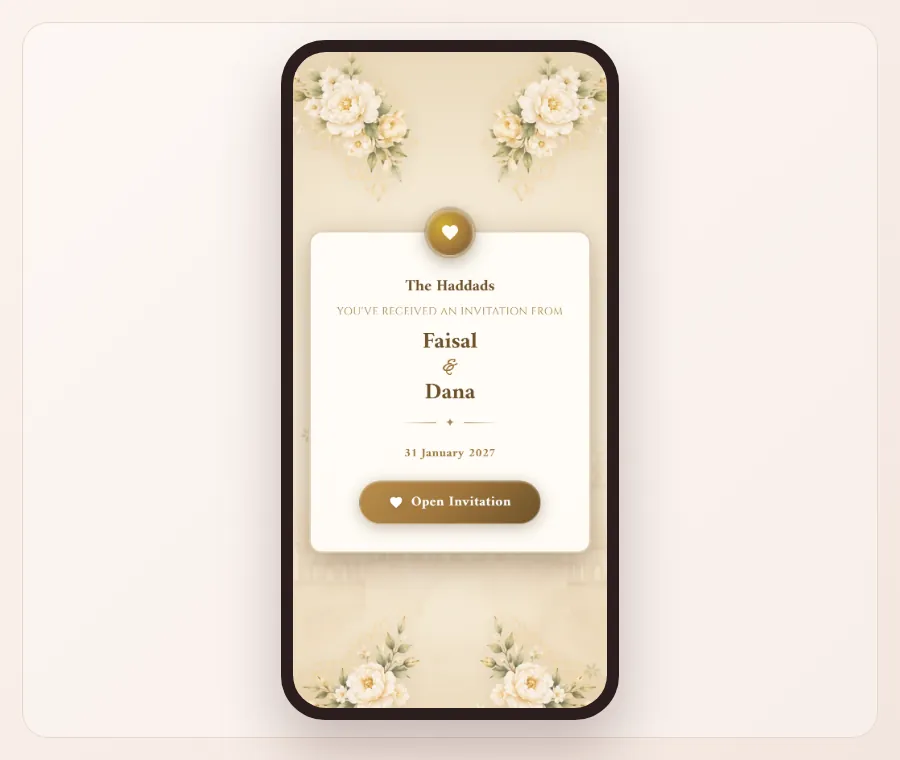
Every reply starts from the guest's own envelope, here in Saraya Gold, an Andalusian style with suspended golden lanterns and arabesque. Designing is free, and the permanent link is one payment per invitation; see the pricing page.
Each guest you add gets a personal link, with their name on the envelope. After the invitation opens, they reach the RSVP section and tap attend or decline, choose how many people are coming within the limit, and answer any questions you added. You see attending, declined, not yet replied and how many guests have received their link on a dashboard, and you can export the guest list and replies as a CSV file. You can switch the RSVP section off, for example after your deadline.
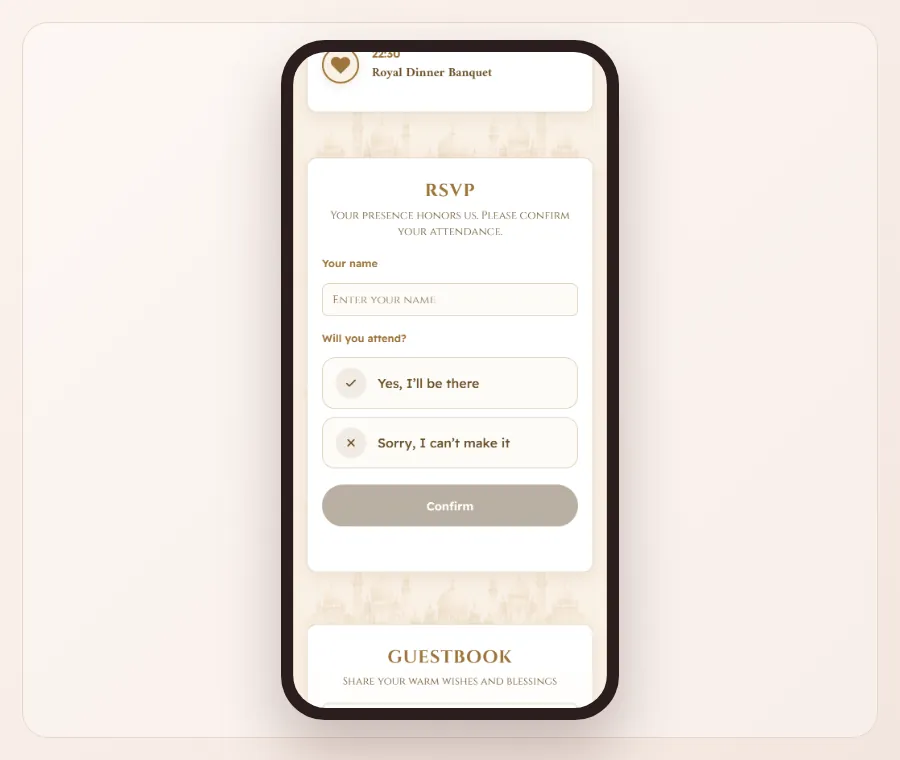
The form above is the same invitation after it opens. The full feature walkthrough is in digital wedding invitation with RSVP, so I won't repeat it here.
What should you do about guests who don't reply? #
An online RSVP makes silence visible. On Koroty, the guest list shows who hasn't replied, and you can send a reminder to those guests from the list. It is not automatic, so you choose when and to whom. Send the first one a few days after the deadline, and call close family. For wording, see RSVP reminder messages.
How do you handle guests who prefer other methods? #
- Elders: call them and note the answer. See are digital wedding invitations tacky for ways to include them.
- Guests without WhatsApp: copy the link into a text, email or any app.
- Guests who reply in the group chat: thank them, then ask them to use their own link so the answer reaches your list.
- Guests who send a voice note: write it into your list the same day.
What should you check before you send? #
- Preview the invitation on a phone, and tap through the RSVP as a guest.
- Check the deadline, the seat limit and the questions.
- Send the first links to two or three relatives and ask them to reply.
- Fix anything that confuses them, then press "Update" so the same link shows the corrected version.
- Send the rest in batches, starting with the people whose answers you need first.
The preview link on Koroty works for 48 hours with every feature, so you can test the whole reply flow. See how to send a wedding invitation on WhatsApp for sending.
Two related guides: why every guest should get their own invitation link and what to do about guests who RSVP yes and do not come.
Frequently asked questions #
Is an online RSVP formal enough for a wedding? #
It can be, if the design and wording are formal. The method of replying matters less than the tone of the invitation. See digital vs paper wedding invitations.
Can guests change their answer later? #
That depends on the tool you use. Check how it handles a second reply before you send, and tell guests to contact you for changes close to the date.
How many questions should an RSVP have? #
As few as possible. Attend or decline, the number of seats, and whatever the caterer truly needs.
Should I collect plus-ones in the RSVP? #
Yes, if your policy allows them. Set the seat limit per guest so the guest chooses a number within it.
Can I export the replies? #
On Koroty you can export the guest list and replies as a CSV file, and open it in Excel or Google Sheets to share the numbers with the venue.
The bottom line #
The best RSVP method is the one that puts every answer in one list, tied to the right guest, with a deadline and a seat limit. Keep a phone route for guests who need one. Browse Koroty's designs to run RSVP inside the invitation.