
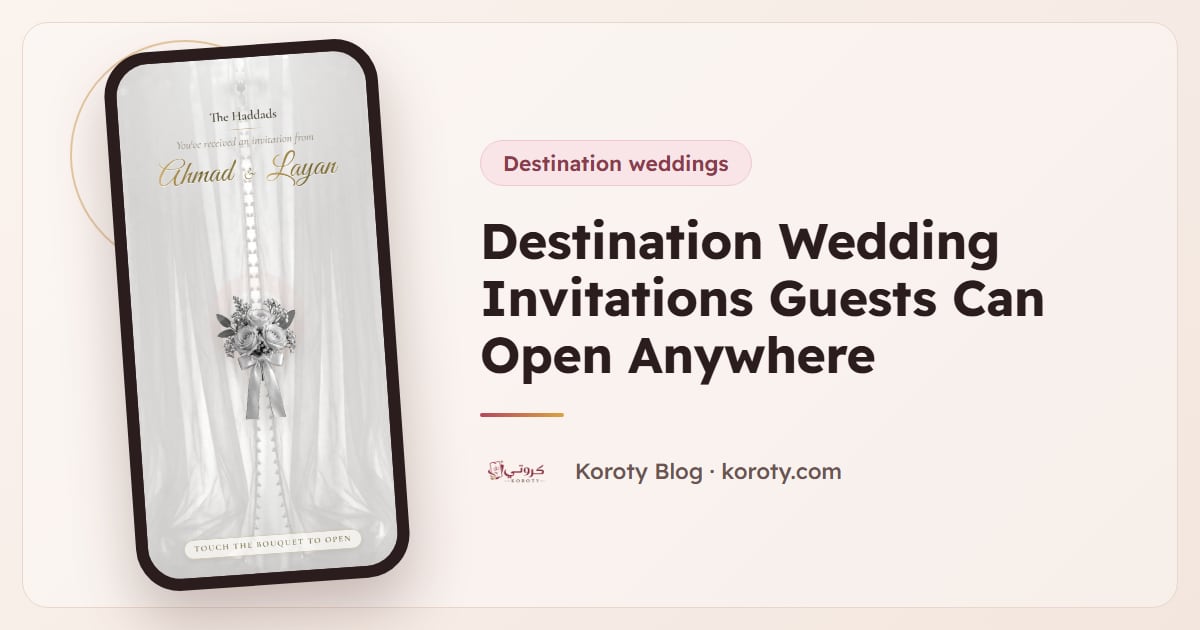
A destination wedding invitation works best as one link that opens on any phone in any country, with a map that opens Google Maps with a tap, an add-to-calendar button, a countdown, a schedule and a notes section for travel details. One thing to know: Koroty does not convert times to each guest's time zone, so write the time as local time at the venue.
Koroty is the platform I build, so weigh this accordingly. I'll cover what the invitation handles well for guests flying in from several countries, what it leaves to you, and how to word the time so nobody turns up early or late.
What does a destination wedding invitation need to include? #
Guests who travel ask more questions than guests who drive across town. Before you design anything, list what they need to decide:
- When to book flights. They need the date, and ideally the city, early.
- Where to stay. A hotel or area, and how far it is from the venue.
- How to get around. Airport, shuttles, taxis or driving.
- What happens when. The ceremony, the meal, any events before or after.
- What to wear and bring. Weather, dress code, and any local customs worth knowing.
- How to reply. Early, because you need numbers for a venue far away.
An invitation can hold most of this. Anything longer, such as a multi-page travel guide, may deserve a wedding website. See wedding website vs digital invitation to decide.
Why does one link work better for guests in many countries? #
A link that opens in any browser has no country restrictions on your side. Guests in Canada, Jordan, Germany and Australia all open the same invitation on iPhone or Android, with no app to download and no account to create. Each guest has a personal link, and their name appears on the envelope, so a cousin abroad feels as invited as a neighbor.
You send the links yourself, and WhatsApp is a practical route for people spread across countries. From the guest list, press "Send" next to a name, and WhatsApp opens with a ready message containing the guest's name and link. "Send to next" takes you to the following guest. Koroty doesn't currently email or text guests itself, so if someone doesn't use WhatsApp, copy their link into email or any other app.
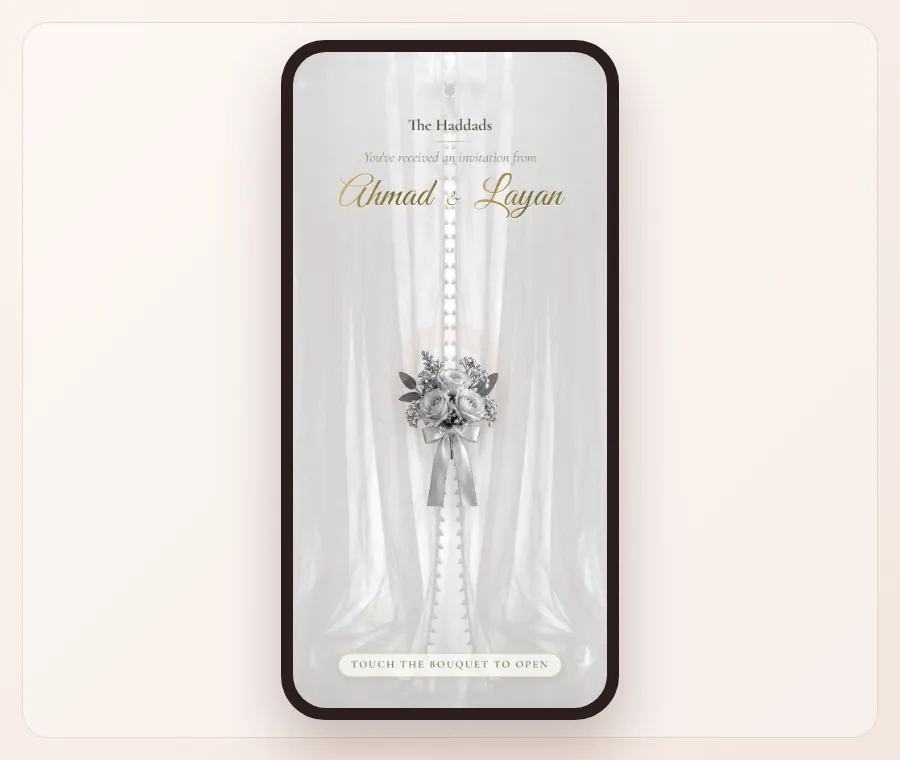
Guests abroad see the same opening as everyone else: here, the tulle curtains of Hand in Hand, which part as colour blooms from the flowers. For more on the sending, read how to send a wedding invitation on WhatsApp.
How should you write the time for guests in other time zones? #
This is the most important point in this guide. Koroty does not convert the event time into each guest's own time zone. The dates and the countdown follow the wedding's own time zone. A guest in another country sees the time you wrote, as you wrote it.
So write the time as local time at the venue, and name the place. For example:
Ceremony at 7:00 PM local time (Rome)
Dinner at 8:30 PM, Rome time
Saturday, September 11, 2027, 4:00 PM local time (Amman)
Avoid a bare "7:00 PM" with no place. A guest in New York might read it as their own evening. Also be careful with countdowns: the countdown follows the wedding's time zone, so it reflects time until the event at the venue, not at the guest's home.
If an event is the same on more than one day, write the day of the week and the date. People who cross the date line or fly overnight get confused by "tomorrow".
How do the map and calendar help travelers? #
- Map. The venue map opens Google Maps with a tap. A guest who has just landed can tap and navigate. Add the venue name and city to the text too, in case a guest searches by name. See how to add a venue location to a wedding invitation.
- Add to calendar. One tap puts the event into the guest's calendar. Check how the time looks on your own phone before sending, and rely on your written local time in the text.
- Countdown. It follows the wedding's own time zone, and it gives faraway guests a sense of how soon they must book.
- Schedule. Add each part of the day as a timeline item with a time, in the venue's local time.
Design yours free and put in your real venue and time to see how it reads.
Where do you put travel and hotel information? #
Use the notes section for guests. Keep each note short and practical:
- Nearest airport and how far it is from the venue.
- One or two hotel suggestions, with a short booking tip.
- Whether a shuttle is arranged, and where it leaves from.
- Local weather in the month of the wedding, and what to wear.
- Any local rule worth knowing, such as dress expectations at a religious site.
If you change the plan, edit and press "Update". Guests see the new version on the same link, so you don't have to resend. See how to edit a wedding invitation after sending.
How do you collect replies from far-away guests? #
Ask for a reply early, because flights and hotel blocks need lead time. Each guest taps attend or decline, picks the number of people within your limit, and answers any custom questions. Useful questions for a destination wedding include:
- Arrival date and time.
- Whether they need help with a hotel.
- Dietary needs.
- Whether they will join the events before or after the wedding.
The dashboard shows attending, declined, not replied yet, and how many people have received their link. If someone is silent, you can send a reminder from the guest list. It isn't automatic. When to send? Longer-distance guests need more time, so see when to send wedding invitations. For counting, read wedding RSVP and guest count. If you send an early date first, see digital save the date.
What does it cost? #
Design and preview are free with no account. Publishing gives you a preview link that works for 48 hours with every feature, so you can test the map and the notes with a relative abroad. The permanent link needs one payment per invitation, with no subscription and unlimited guests and replies. In the US and Europe that is $29, and your country's price is on the pricing page.
What does the invitation not do? #
- It doesn't convert times to each guest's time zone. Write local time at the venue.
- It doesn't email or text guests. You send the links.
- It doesn't send reminders by itself.
- It has no wedding website or hotel booking.
- Each invitation is in one language, so a mixed-language family makes two. See Arabic and English wedding invitations.
For the manners and the timeline, read destination wedding invitation etiquette. For the practical notes guests need, see travel information for out-of-town guests. And if you are marrying in Italy, there is a guide to inviting guests from abroad to a wedding in Italy.
Frequently asked questions #
Will the time show in my guest's time zone? #
No. Koroty does not convert times. Write the time as local time at the venue, for example "7:00 PM local time (Rome)".
Does the countdown change for guests abroad? #
No. It follows the wedding's own time zone, so it counts down to the event at the venue.
Will the map work in another country? #
Yes. The map opens Google Maps with a tap, wherever the guest is. Add the venue name and city in the text as well.
Can I send the invitation internationally? #
Yes. It is a link that opens in any browser, so you can send it anywhere you can send a message.
Can I add hotel and flight information? #
Yes, in the notes for guests and in the schedule. Both are free text that you write.
The bottom line #
For a destination wedding, one link that opens anywhere, plus clear notes and a time written in the venue's local time, covers most of what travelers need. Browse Koroty's designs, or read the digital wedding invitations guide.